Press Kit
Shapely 3D
Everything you need to write about, review, or feature Shapely 3D — the app icon at full resolution, hero renders, the Mac, iPad and iPhone screenshot sets, and copy you can quote directly. All assets may be reproduced in coverage of the app.
15 files, zipped. Individual downloads are linked under each asset below.
What it is
One line
Shapely 3D is a native 3D modeling app for Mac, iPad, and iPhone that makes building real, exportable models simple.
Short
Shapely 3D lets you sketch, sculpt, and export real 3D models with your mouse, trackpad, finger, or Apple Pencil. Compose scenes from primitives, snap them to a configurable grid, and watch live measurements follow every edit. Before you print, View in Room shows the model on your desk at its actual size, through the camera. It is a true native app on all three platforms, and one purchase covers them all.
Long
Shapely 3D is a 3D modeling app built for people who want to make something without first learning a CAD suite. Scenes are composed from simple primitives that you move, rotate, and scale with a precise on-screen gizmo; a configurable grid with smart snapping keeps every piece where you meant to put it; and live measurements in millimeters or inches stay visible as you work, so the model matches the real-world object you have in mind. An orientation cube jumps to any view in a click, and your work autosaves as a native document with full undo. Before you print, View in Room opens the model in AR on your desk at its actual size, through the camera, or you can export a USDZ for Quick Look and any USD tool. Apple Pencil hover shows where the next shape will land, a squeeze switches sketch modes mid-drawing, and every project is in Spotlight, Siri, and Shortcuts. Every object is checked the way a slicer checks it, so a hole or an inside-out face shows up in the app instead of an hour into a print, and a scan made with an iPhone scanner app comes in as a USDZ at its real size. On iPhone Duo the editor runs at the native size of both screens, the same project open or closed.
A one-time in-app purchase, Shapely 3D Pro, adds the tools for more complex work: CSG boolean operations to union, subtract, and intersect shapes; Sketch & Extrude to pull a 2D profile into a solid; non-destructive smoothing; a cut tool; face editing with per-face colors; Repair, which fixes the holes and inside-out faces a slicer would trip on; and STL export for 3D printing or handing the model to another CAD tool. There is no subscription, and the purchase is universal — buy it once and it unlocks on Mac, iPad, and iPhone.
Fast facts
- Name
- Shapely 3D
- Tagline
- 3D Modeling Made Simple
- Developer
- Fabrizio Brancati
- Platforms
- macOS, iPadOS, iOS — a native app on each, not a port or a web wrapper. Built for iPhone Duo since 1.3: the editor runs at the native size of both screens.
- Input
- Mouse, trackpad, touch, and Apple Pencil
- Pricing
- Free to download, with a one-time “Shapely 3D Pro” in-app purchase at US$9.99 (€9.99 / £9.99). No subscription. The purchase is universal across Mac, iPad, and iPhone.
- Requirements
- macOS 26, iPadOS 26, or iOS 26. Universal binary; no other hardware requirement. View in Room needs iOS 27 or iPadOS 27; USDZ export needs iOS 27, iPadOS 27, or macOS 27.
- Version & release
- 1.3.0 · 12 October 2026 · current Built for iPhone Duo — the editor at the native size of both screens, the same project open or closed — and a printability check that tells minor issues from ones that need repair.
- 1.2.0 · 7 October 2026 The printability check and Repair, USDZ import on Mac, iPad, and iPhone, and Open in Bambu Studio or PrusaSlicer on Mac.
- 1.1.0 · 14 September 2026 View in Room, USDZ export, Apple Pencil hover and squeeze, per-face colors, and Spotlight, Siri and Shortcuts.
- 1.0.0 · 2 September 2026 First public release.
- Privacy
- No account required. Documents stay on the device — there is no server that receives or can access a model. Full policy.
- App Store
- apps.apple.com/app/id6791292386
- Website
- www.shapely3d.com
- Press contact
- [email protected]
What’s in it
Included
- Build from primitives — compose scenes from simple shapes, 3D text, or an imported STL or USDZ scan, with a precise gizmo for move, rotate, and scale.
- Snap to the grid — a configurable grid with smart snapping.
- Measure as you work — live measurements in millimeters or inches, plus a ruler tool for exact distances.
- Orientation cube — jump to any view with a click or tap.
- Native documents — autosave, reopen where you left off, full undo.
- View in Room — the model in AR on your desk at its actual size, through the camera; USDZ export for Quick Look and any USD tool (iOS 27, iPadOS 27, macOS 27).
- Apple Pencil — hover previews where a shape will land; squeeze or double-tap switches Pen and Freehand mid-sketch.
- Printability check — flags the holes, non-manifold edges, and inside-out faces a slicer would trip on, and draws them in red on the model.
- Open in a slicer — send the model straight to Bambu Studio or PrusaSlicer as an STL, no save panel in between (Mac).
- Spotlight, Siri & Shortcuts — every project searchable by name and by the objects in it; open, create, or export a project from Shortcuts.
Shapely 3D Pro — one-time purchase
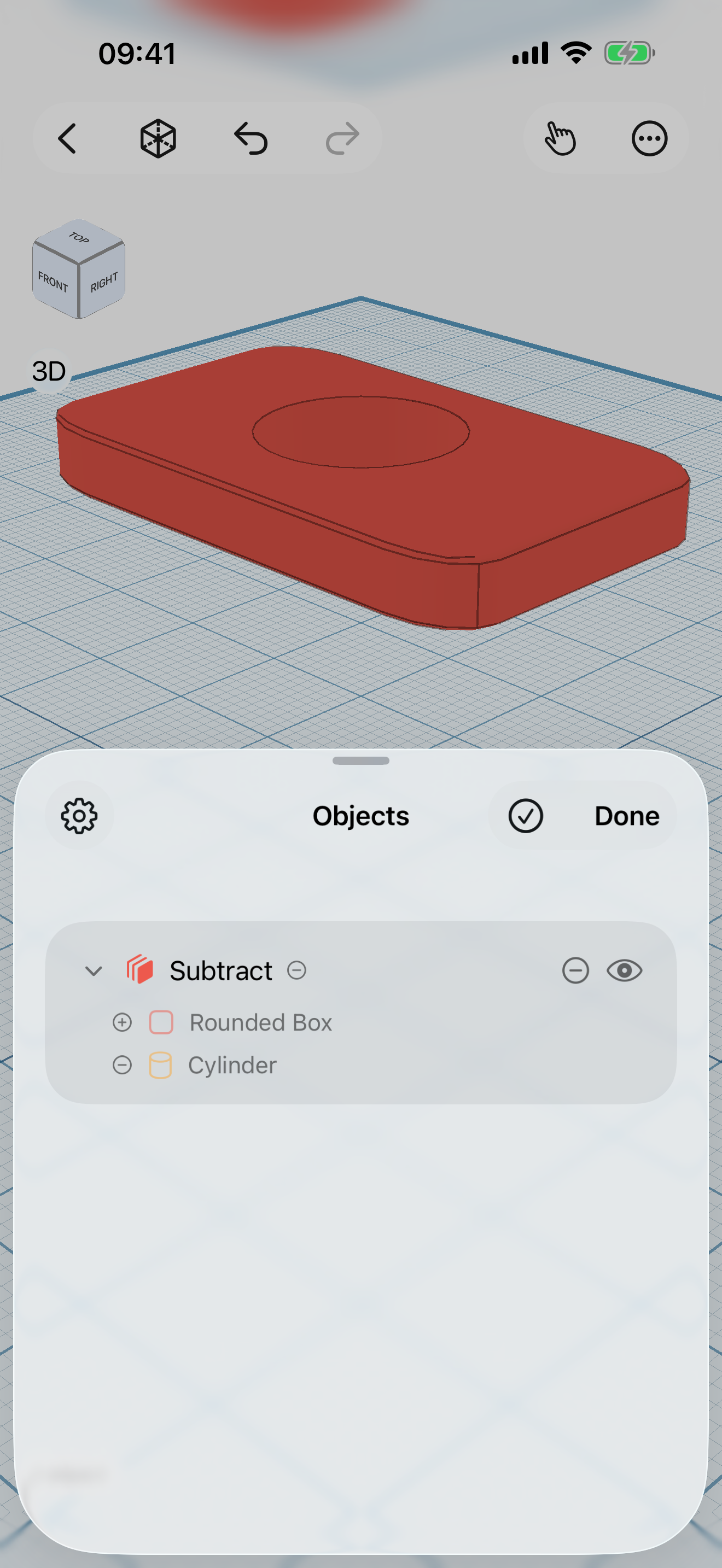
- CSG boolean operations — union, subtract, and intersect shapes.
- STL export — send models to a 3D printer or another CAD tool.
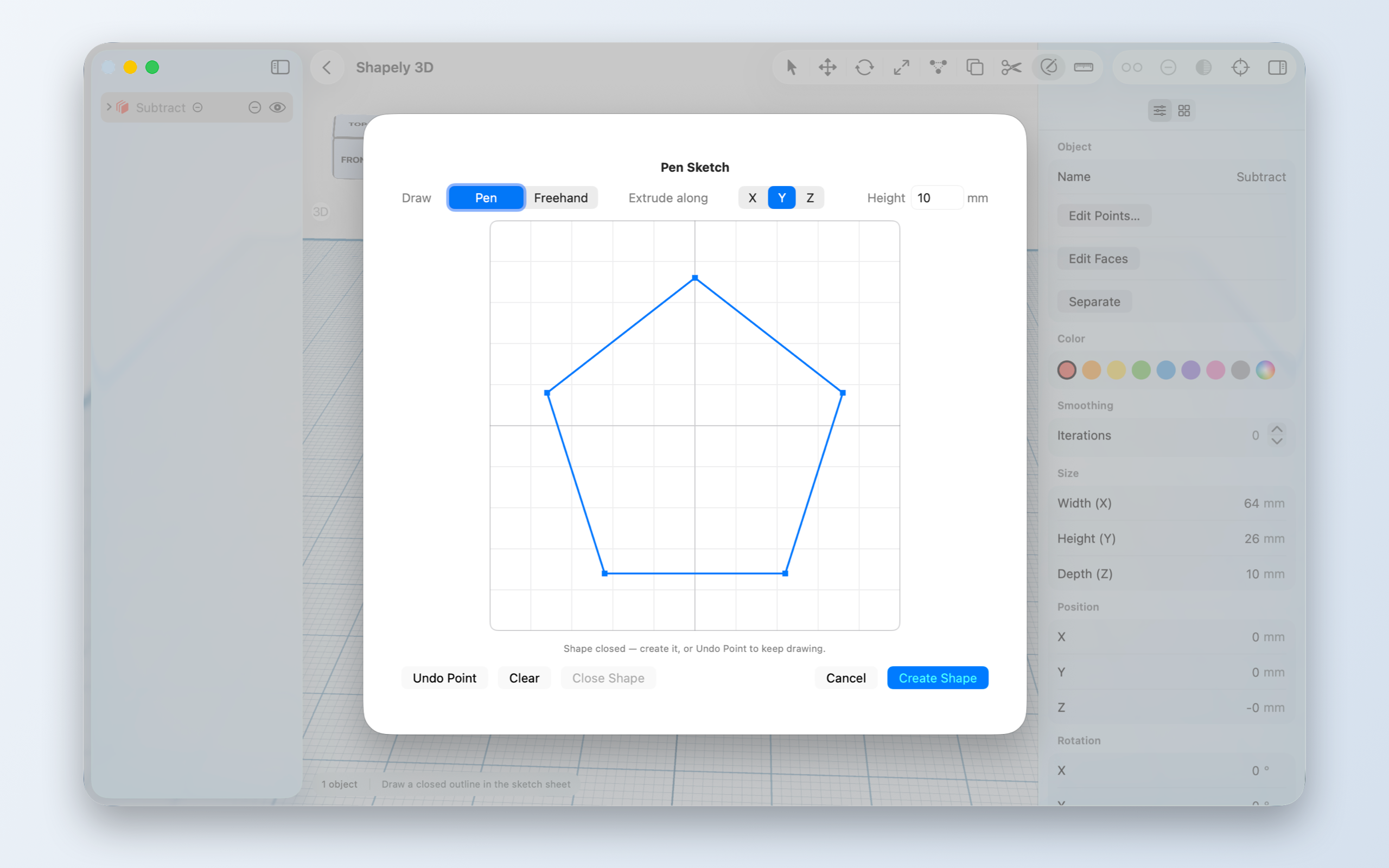
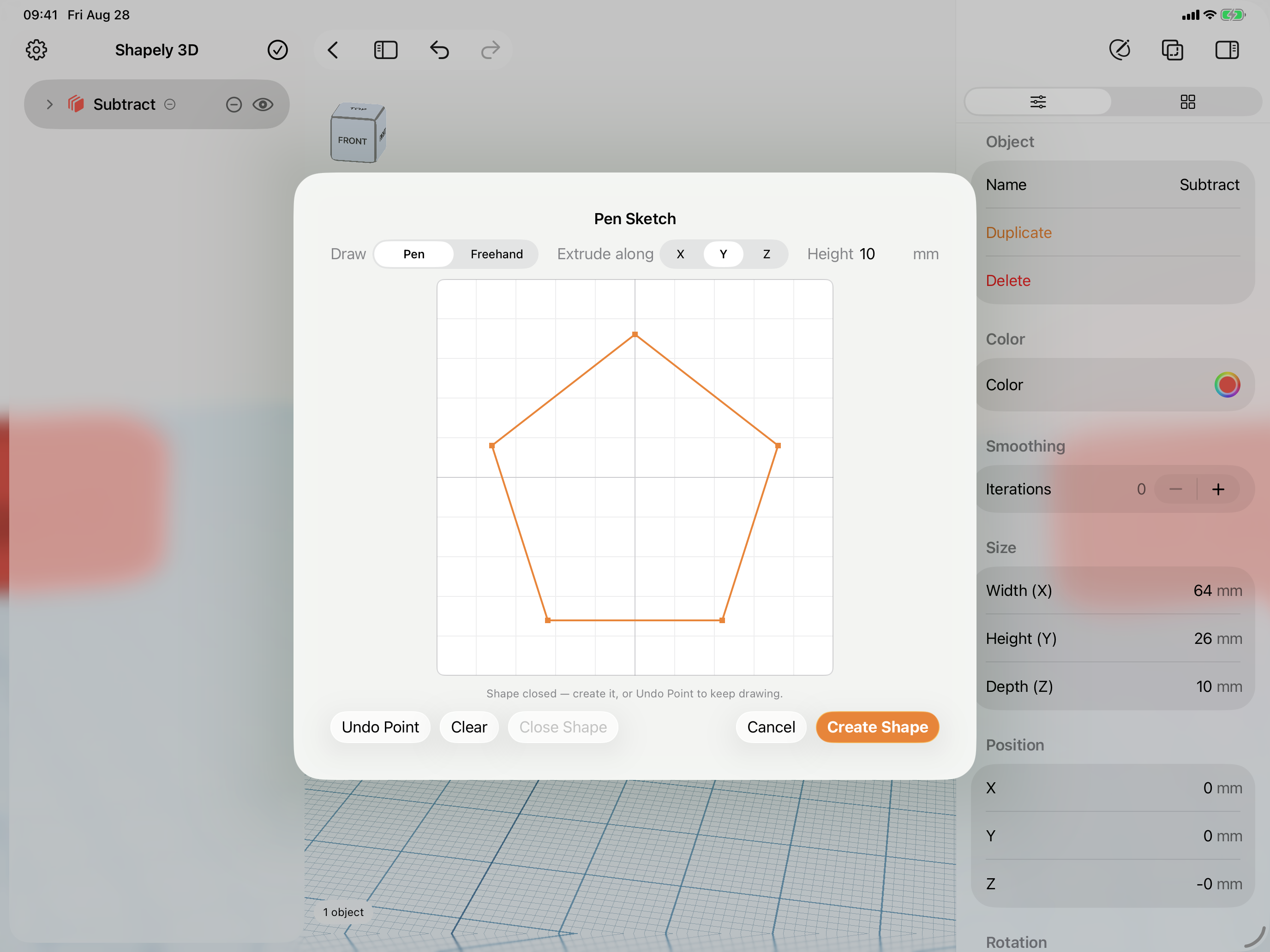
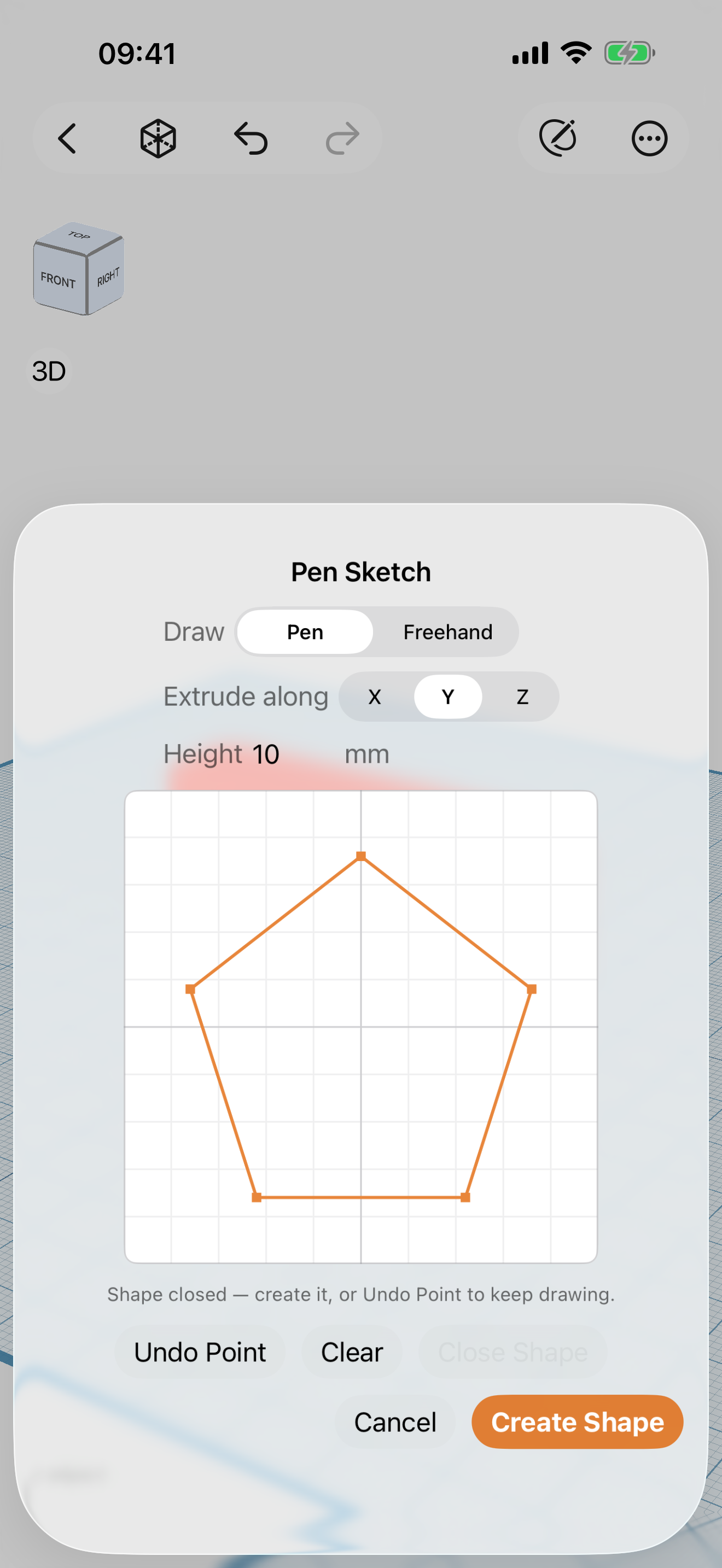
- Sketch & Extrude — draw a 2D profile and pull it into a solid.
- Smoothing — adjustable, non-destructive subdivision.
- Cut tool — slice objects along a face or a drawn line.
- Edit Faces — move, extrude, and reshape individual faces, and give any face a color of its own.
- Repair — fix what the printability check finds, holes, stray faces, and inside-out faces, in one undoable step before you print.
Pro is also ad-free: it removes the one ad in the app, an app recommendation card on the projects home.
Assets
15 of 15 assets available. Click any asset to download the original file.
App icon
The App Store master, unrounded and unglossed. Apply your own corner radius if you need one.

Hero renders
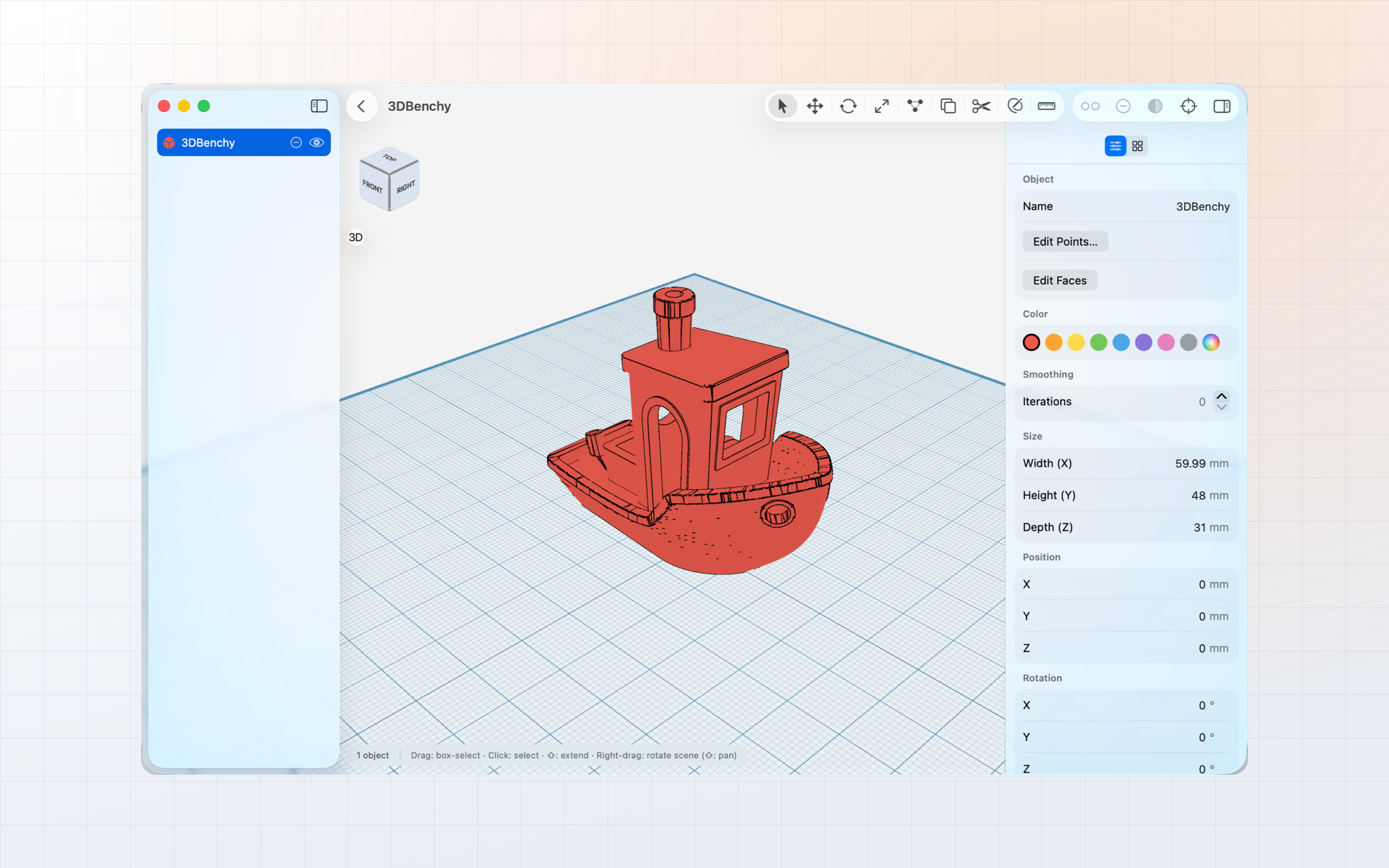
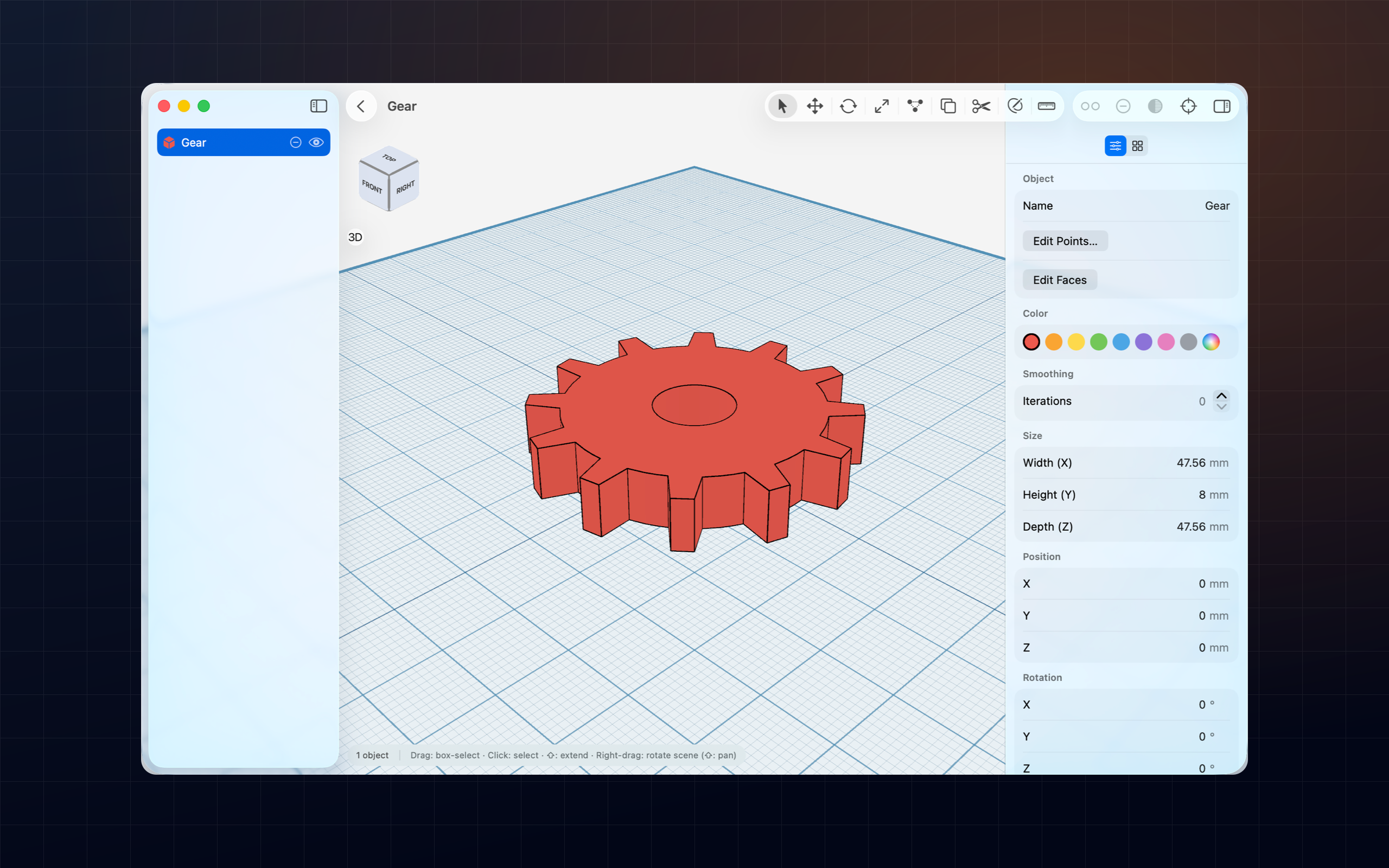
Product shots for headers and feature spots — the app window on a light and a dark background, 2560 × 1600.
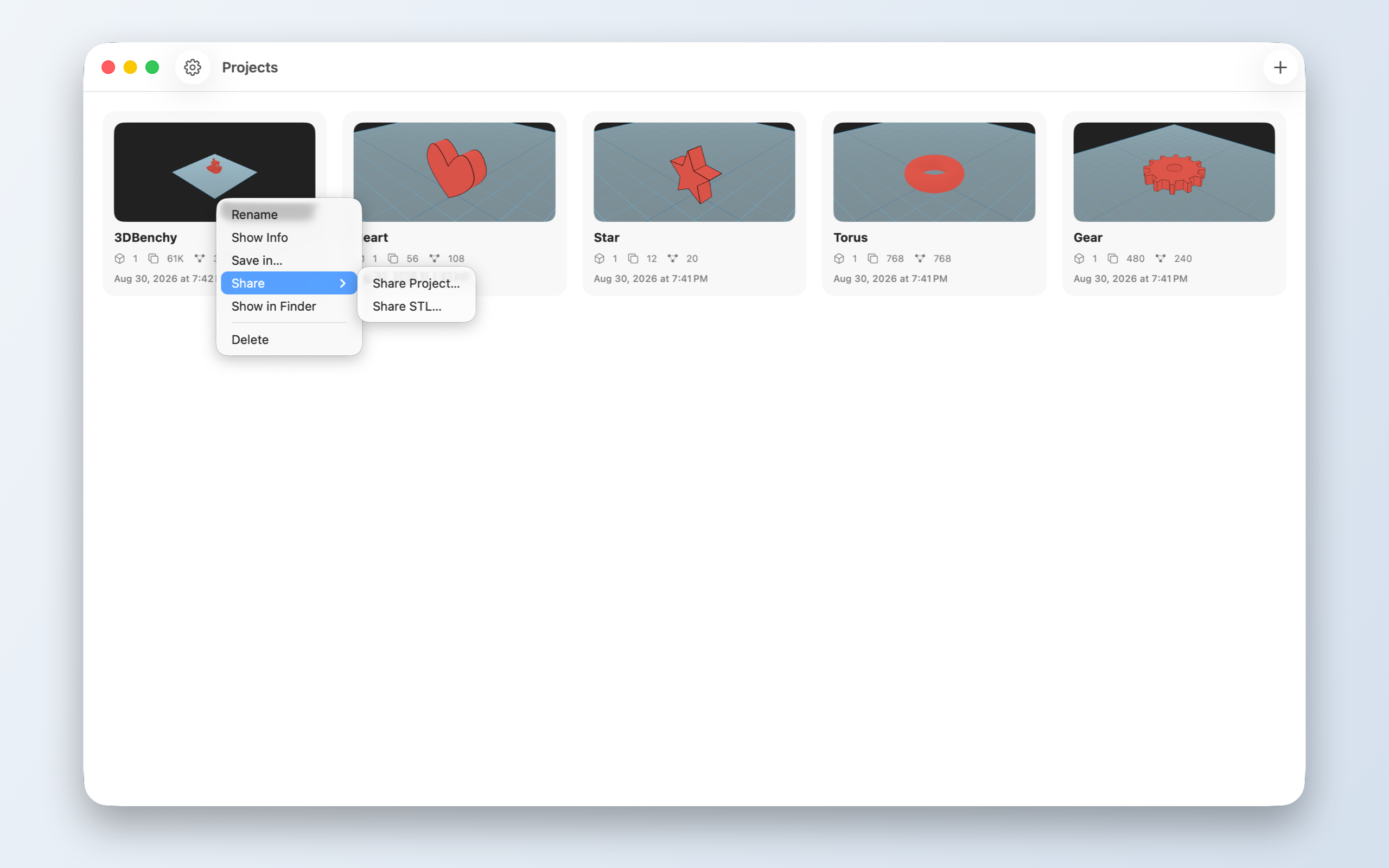
Mac screenshots
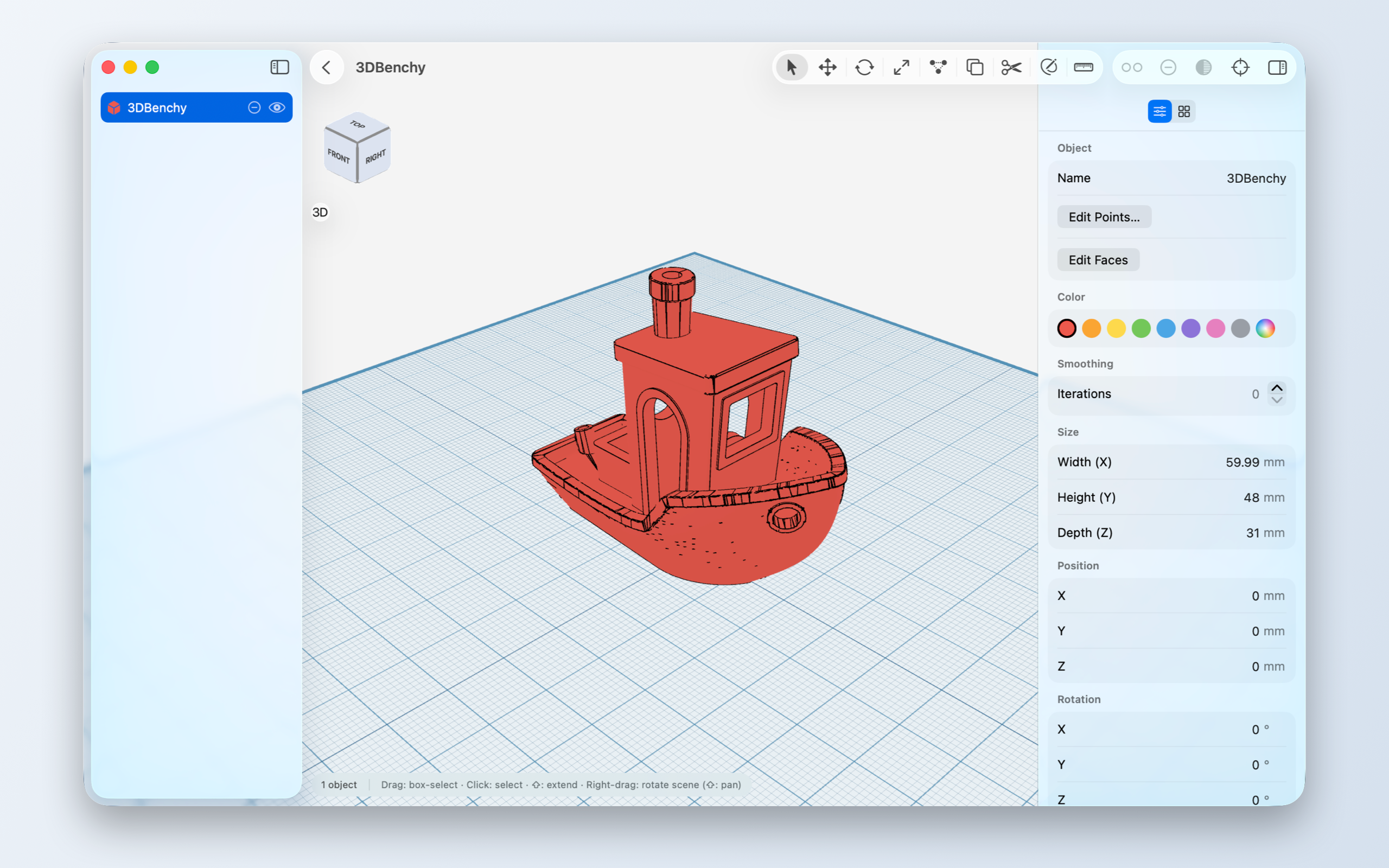
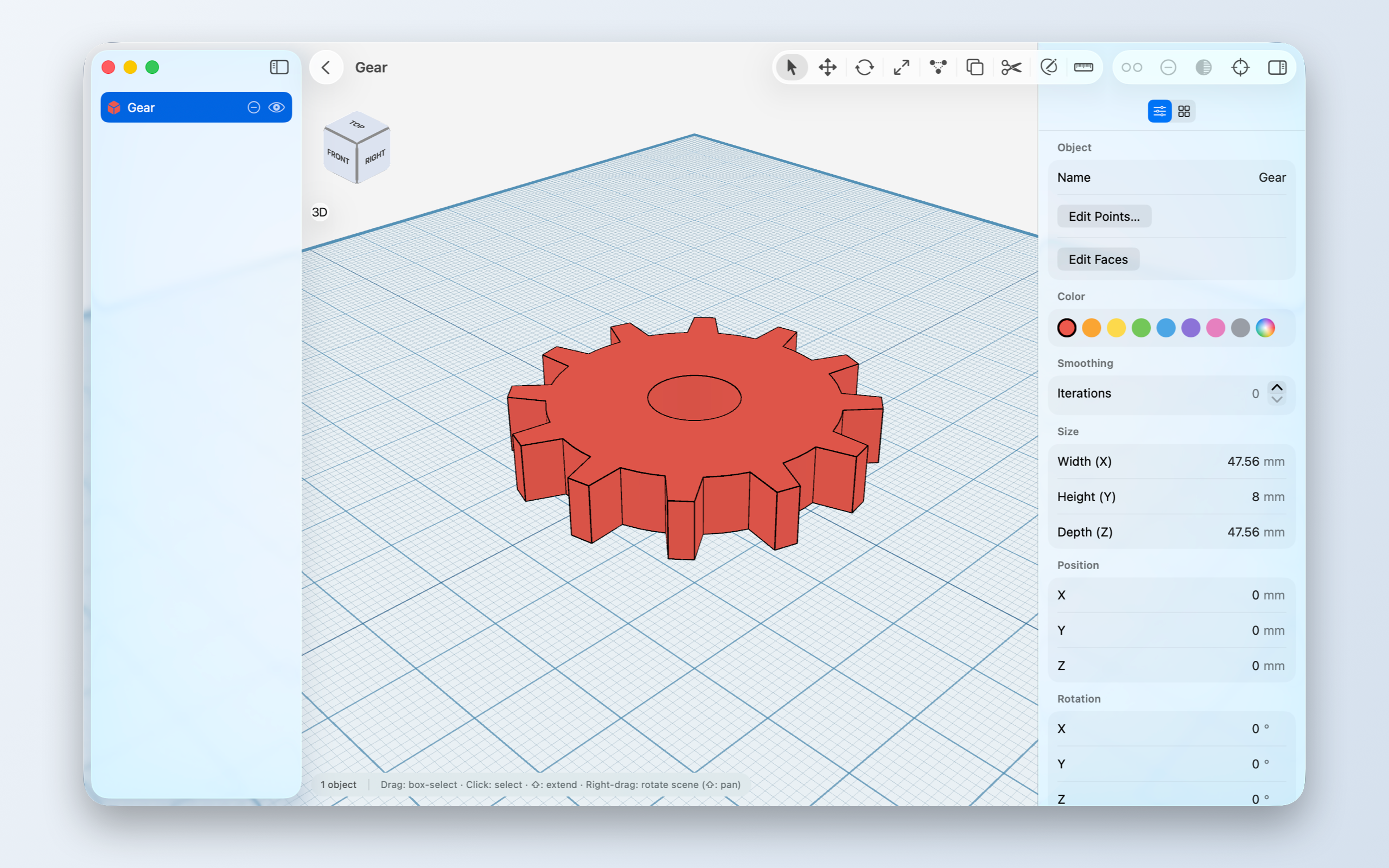
Captured on macOS at 2× — the same moments the Mac App Store listing shows.
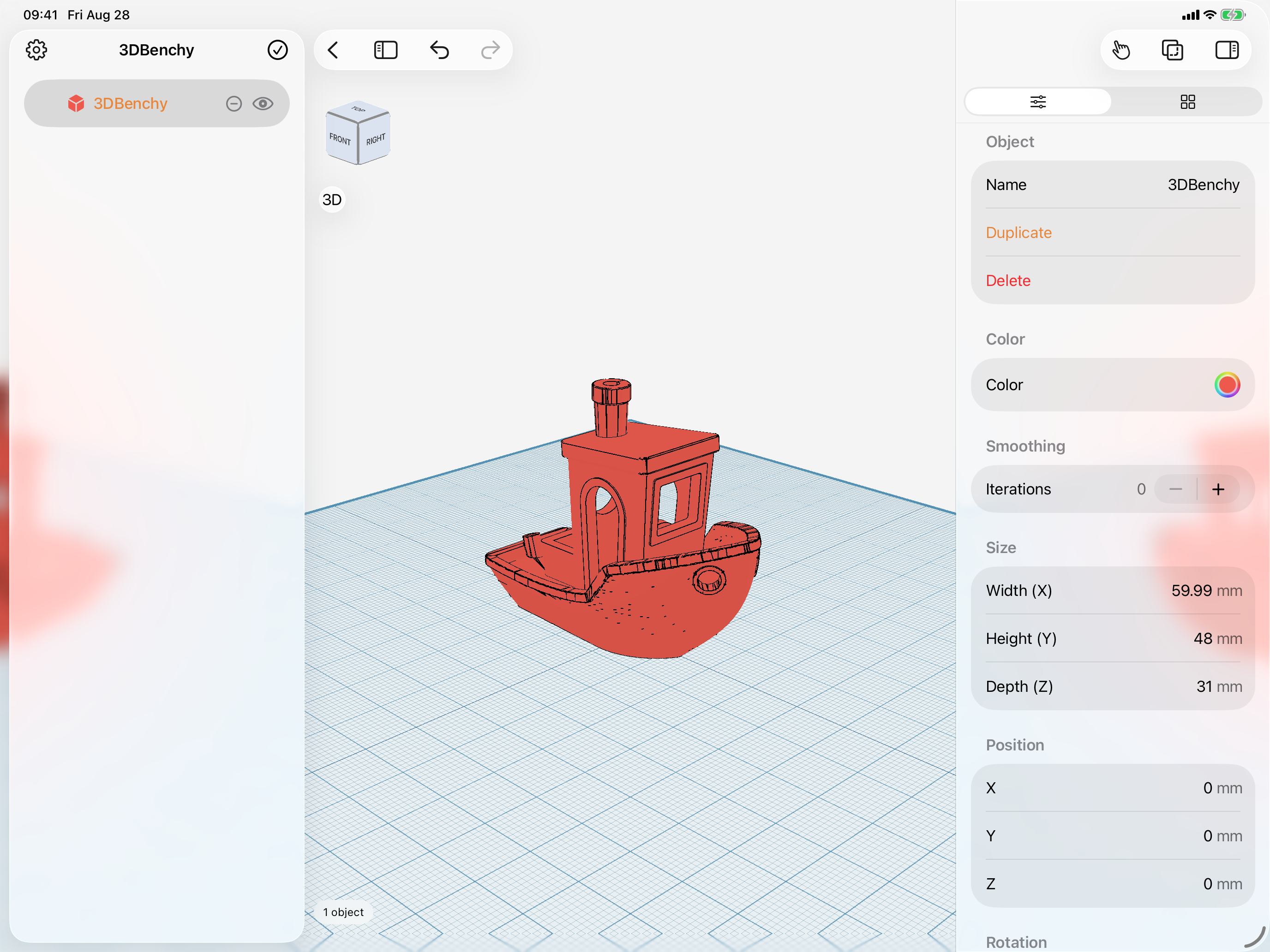
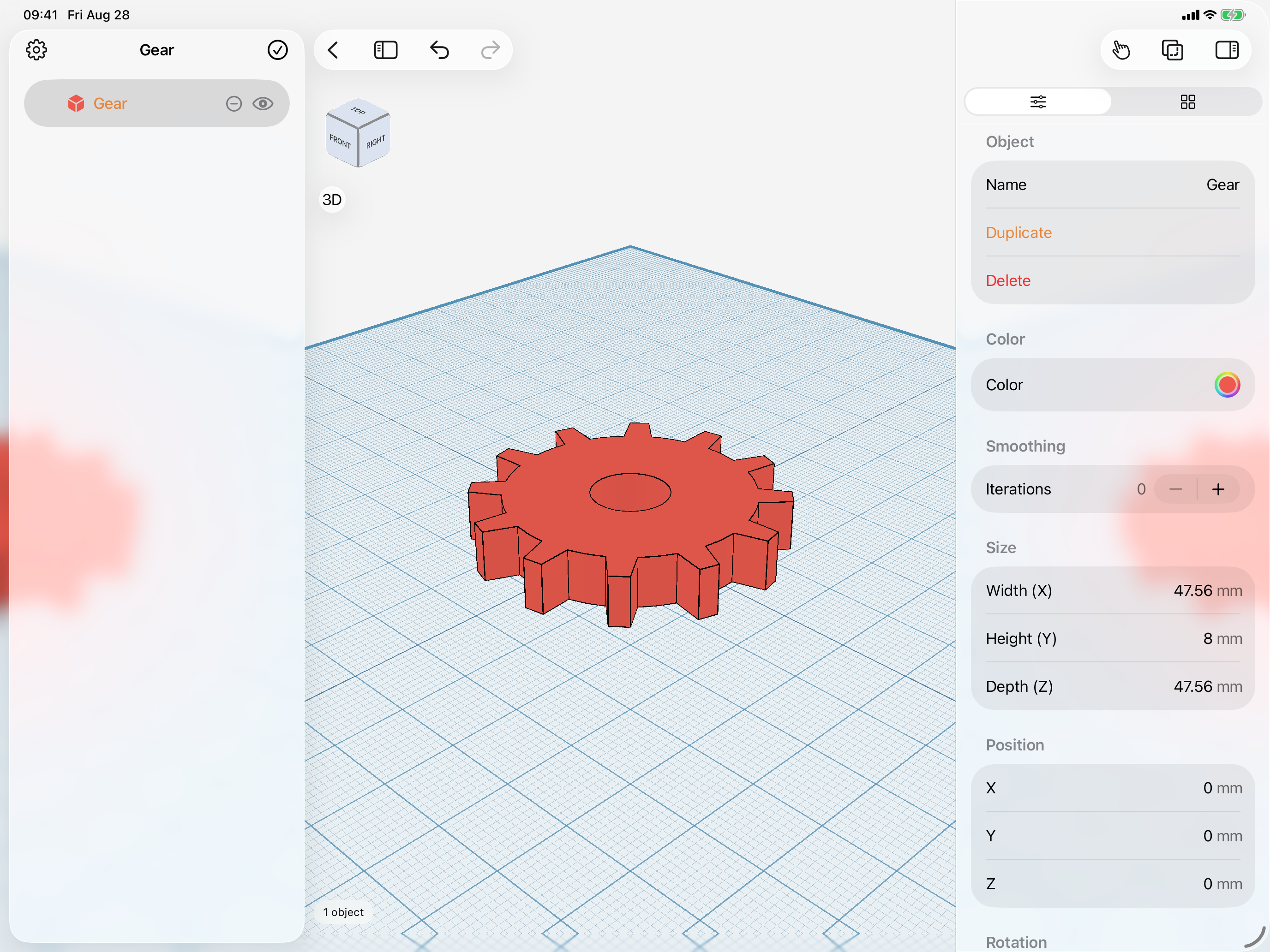
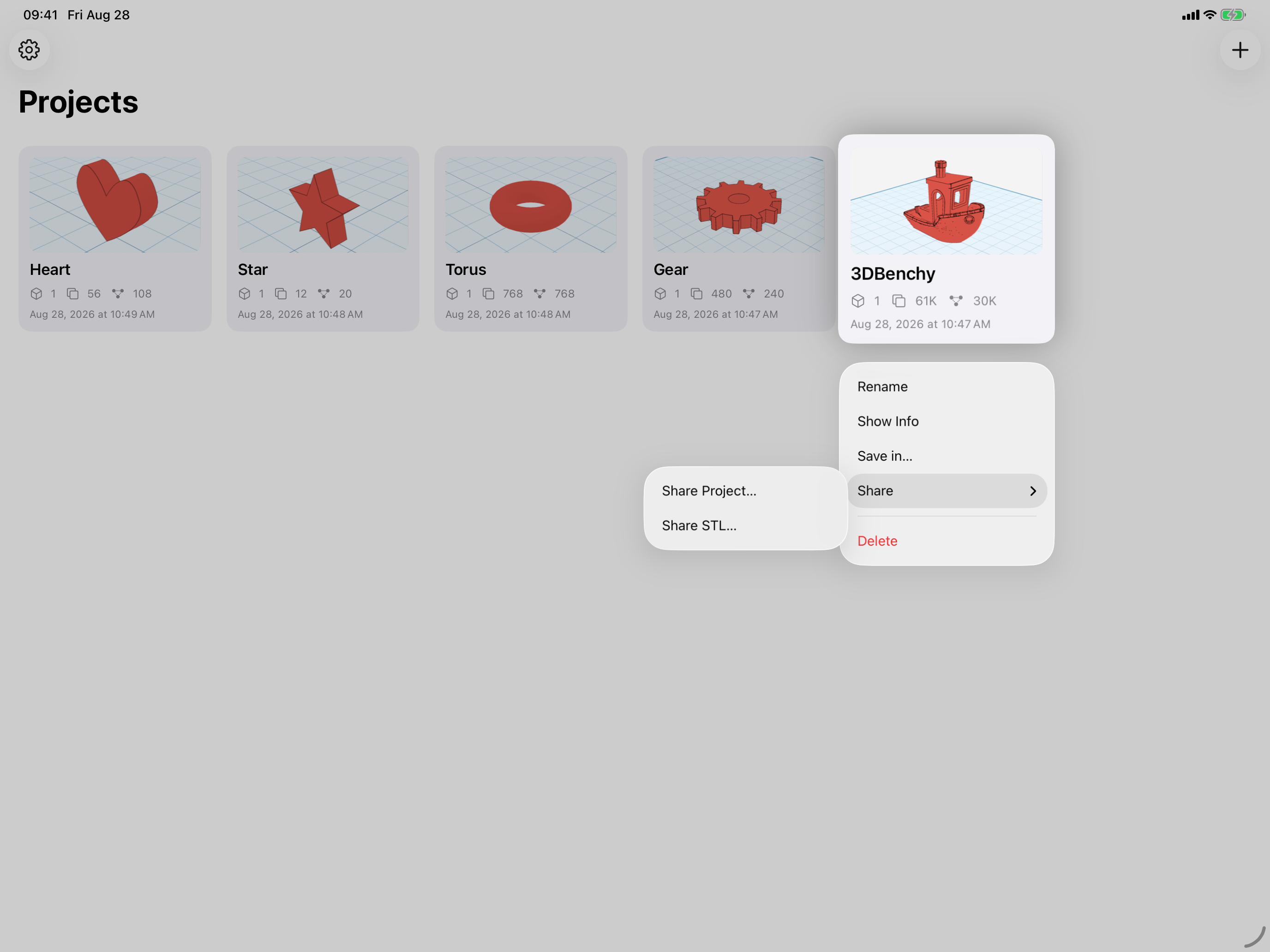
iPad screenshots
Captured on a 13-inch iPad Pro at 2×, in landscape.
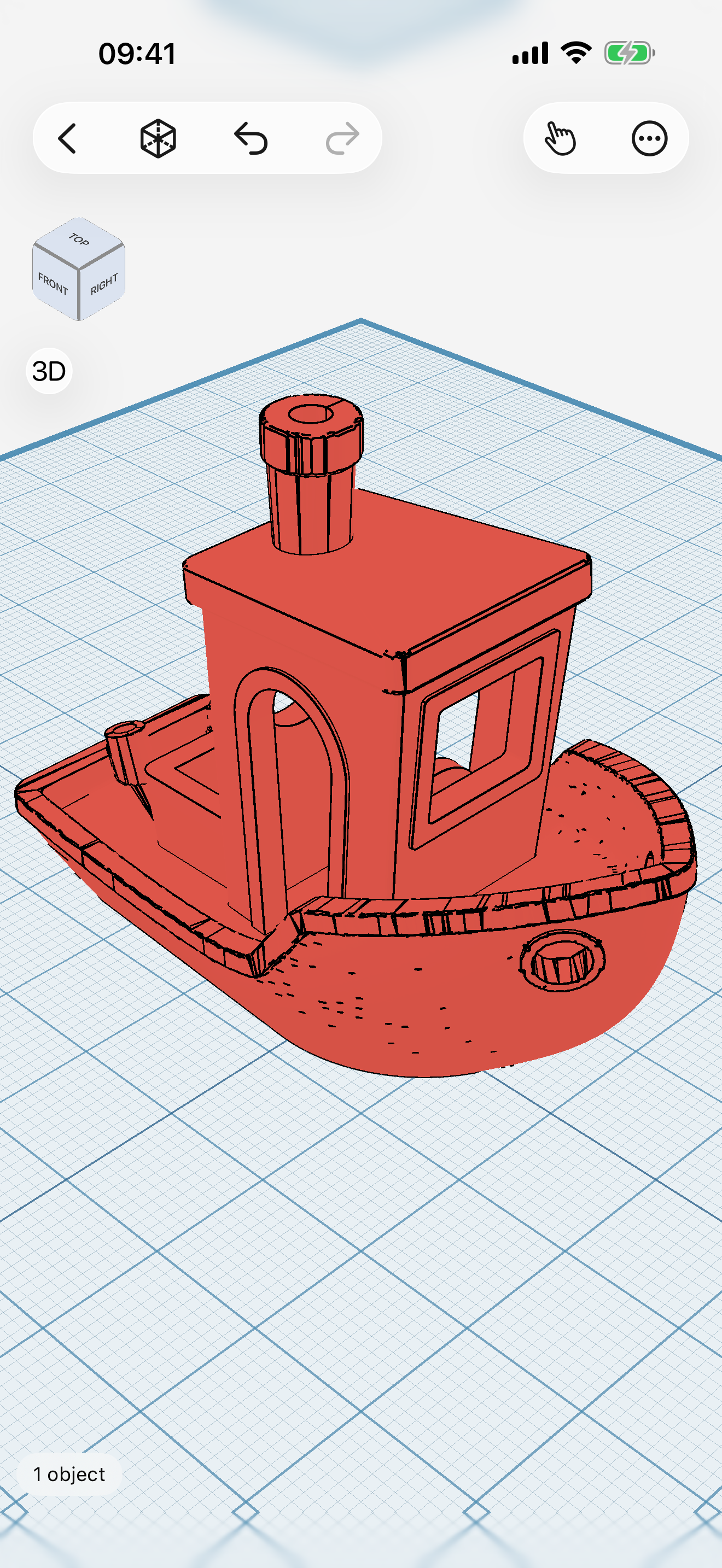
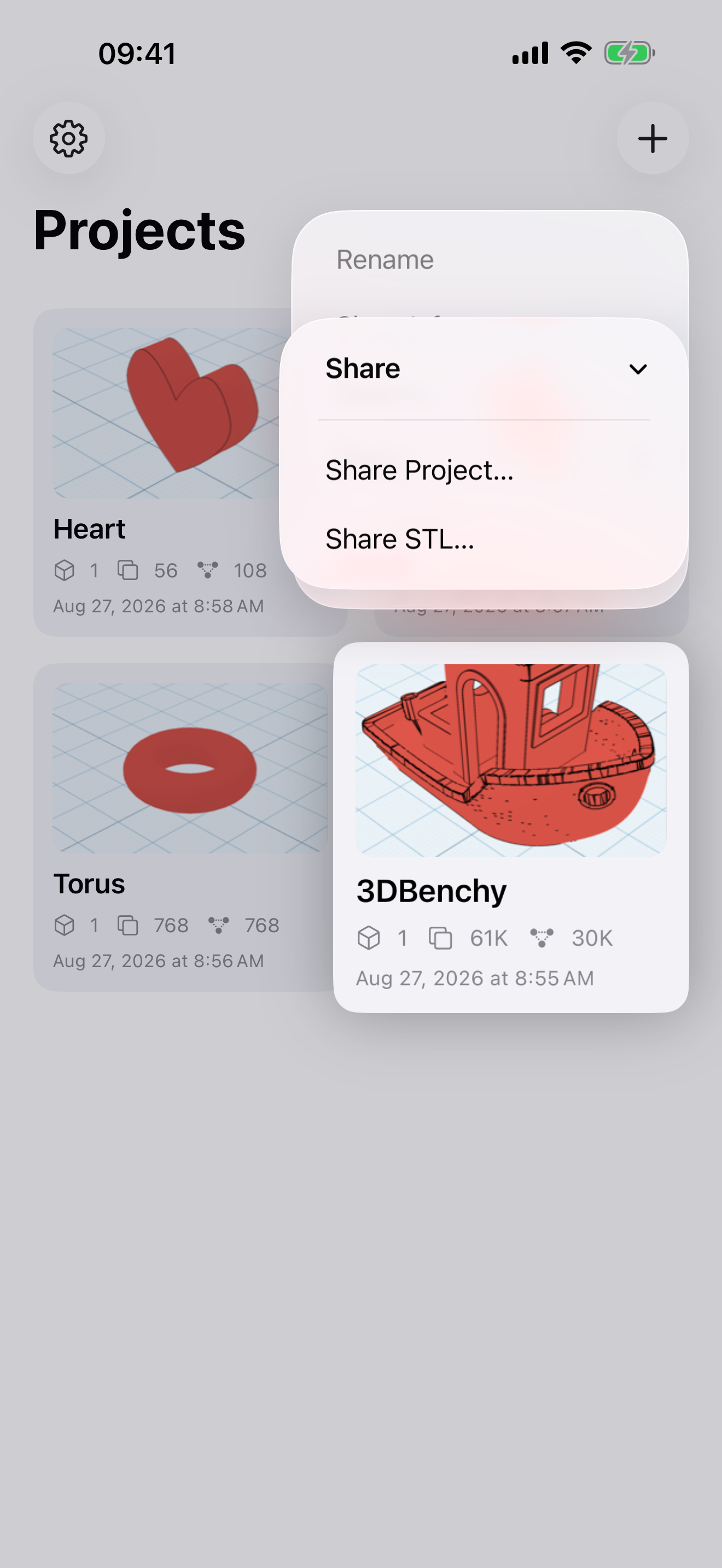
iPhone screenshots
Captured on a 6.9-inch iPhone at 3×.
Using these assets
- Screenshots, renders, and the icon may be reproduced in reviews, articles, and roundups about Shapely 3D.
- Please don’t crop, recolor, or add effects to the app icon, and don’t use it or the name to imply an endorsement or partnership.
- The name is written “Shapely 3D” — two words and the numeral, with a space before the 3D.
- Need something that isn’t here — a different device, a specific feature, a higher resolution, or a review copy? Write to [email protected] and it will be sent over.