Shapely 3D 1.3 — made for iPhone Duo (and the hinge in between)
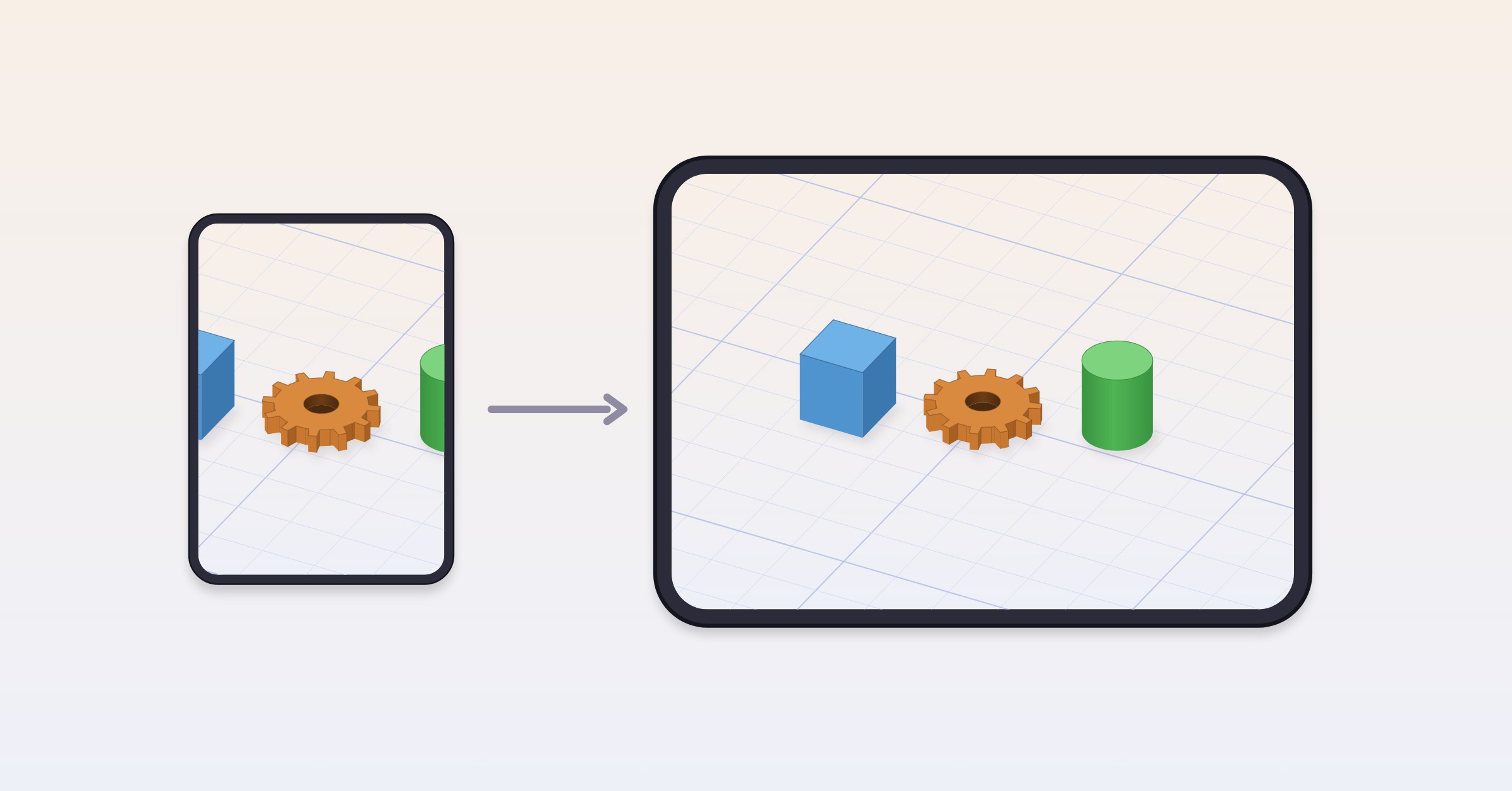
Shapely 3D 1.3 is the iPhone Duo release. 1.1 asked whether your model is the size you think it is; 1.2 asked whether it will print; 1.3 asks what happens to a 3D editor when the phone it’s running on folds in half. The answer, after a month with one, is: it should carry on exactly as if nothing had happened, only with more room. So that’s what it does.
#Made for iPhone Duo
Shapely 3D runs at the native size of both screens. Closed, the outer screen is the whole editor — the catalog, the gizmo, Edit Points, booleans, the printability check, every tool the compact iPhone layout already had. Open the phone and the same project gets more workplane around it, with your selection and your camera right where you left them. Nothing is letterboxed, nothing hides behind the fold, and nothing asks you to start over because the screen changed shape under it.
We built 1.3 with Xcode 27.1 and the iOS 27.1 SDK, so the phone is treated as what it is, not as a tall iPhone with a line down the middle. The line is a feature. We checked.
A few of the small things that turned out not to be small: the welcome tour’s pages slide the full width of the sheet on the outer screen instead of stopping a few points short of the fold-side edge; Settings keeps the workplane Size row on one line instead of stacking it; the Pro screen fits; Share STL and Import STL present on whichever screen is showing. If you own a Duo and find a place where the fold still wins, we want to know — the address is at the bottom.
#Printability, now with a sense of proportion
1.2 taught the app to check a model the way a slicer does. 1.3 teaches it when not to make a fuss about it.
The check now tells minor mesh issues from ones that need repair. Hairline gaps, slivers and a few flipped triangles — the kind every slicer closes on its own on every layer, and the kind the classic 3DBenchy is full of — get a quiet grey mark in the objects list and a Minor issues status on the Printing tab that says, in so many words, that the model prints as it is. No export gate, no lecture. The counts, Show problem edges and Repair are still there for anyone who wants a perfectly clean file; they just don’t stand in the doorway any more.
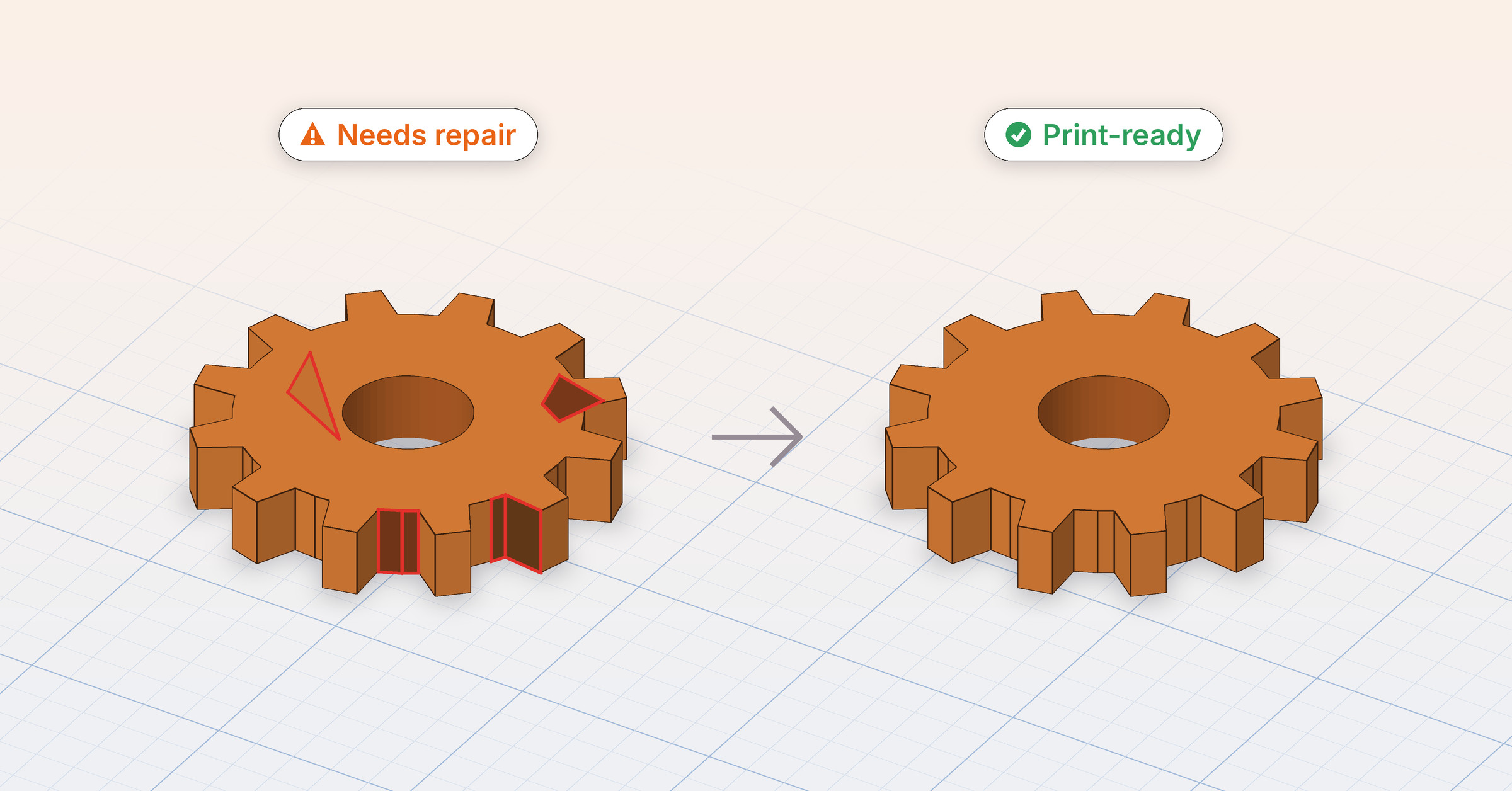
The orange warning, Needs repair and the question on the way out are kept for what they were made for: holes in the surface and inside-out faces a slicer would actually get wrong.
The grade is decided by size, not by count. Benchy’s 242 open edges are under a fifth of a millimetre wide; the scanned gear from the 1.2 post has gaps a couple of millimetres across. The first prints flawlessly and the second does not, and no amount of counting could have told them apart. Benchy has been printed a million times. It did not need our opinion.
#One other app, no strings
The projects home now recommends one other independent app, through Kickstart Exchange — a cross-promotion network for indie apps where developers show each other’s work. The card is matched by app, not by you: no tracking, no identifiers, no “based on your activity”. It appears once, at the top of the home, above your projects and never between them, and a small i on it explains what it is and lets you report it.
Shapely 3D Pro never sees it. Pro is ad-free, and stays that way — the card disappears the instant a purchase or a restore lands, and never comes back. Our privacy policy has the details.
#The Pro screen gets its picture
The Pro screen opens with the Pro artwork — the app icon with its sparkles, the same picture the App Store shows for the purchase — instead of a generic sparkles symbol. It borrowed a symbol for three releases. It has its own picture now.
#Fixed
- Importing an STL from Files or iCloud Drive works again on iPhone and iPad. In 1.2.0 it answered “could not import” to every file you picked, which was true, and unhelpful.
- Fixed a crash on iPad that could close the app while moving, rotating or scaling an object. Of all the moments to leave, mid-drag was the worst one.
- On Mac, opening Shapely 3D from an App Store event no longer shows a “couldn’t open project” error. There was no project. There was never a project. The alert has been informed.
- On Mac, opening a Shapely 3D link or project file no longer opens an extra empty window, which could crash the app. One window per request is the correct number of windows.
#Where to get it
Shapely 3D 1.3 is a free update on the App Store for Mac, iPad, iPhone — and, as of today, iPhone Duo. Everything from 1.2 — the printability check, Repair, Import USDZ, the Printing tab, Open in Bambu Studio and PrusaSlicer — is right where it was. Folded or not.
If 1.3 does something odd on your Duo, or the check grades a model you know prints fine as “needs repair”, tell us: [email protected]. Send the file if you can. We like files.